

File size: 3,505 Bytes
3bae5fb 24e70e8 3bae5fb 24e70e8 3bae5fb 24e70e8 3bae5fb efcdf1b 3bae5fb 24e70e8 3bae5fb | 1 2 3 4 5 6 7 8 9 10 11 12 13 14 15 16 17 18 19 20 21 22 23 24 25 26 27 28 29 30 31 32 33 34 35 36 37 38 39 40 41 42 43 44 45 46 47 48 49 50 51 52 53 54 55 56 57 58 59 60 61 62 63 64 65 66 67 68 69 70 | # FLUX.2 Klein 9B 360 ERP Outpaint LoRA
[](https://github.com/nomadoor/ComfyUI-Panorama-Stickers)
[](https://huggingface.co/nomadoor/flux-2-klein-4B-360-erp-outpaint-lora)
[](./README.md)
任意の画像から 360 度パノラマを生成する、FLUX.2 Klein 9B 向けの LoRA です。
空の ERP キャンバス上に参照画像を配置し、周囲を outpainting で埋めるアプローチを採用しています。これにより、自由度の高いレイアウトからパノラマ画像を生成できます。
## Examples
### Example 1
| Input | Output |
| --- | --- |
| 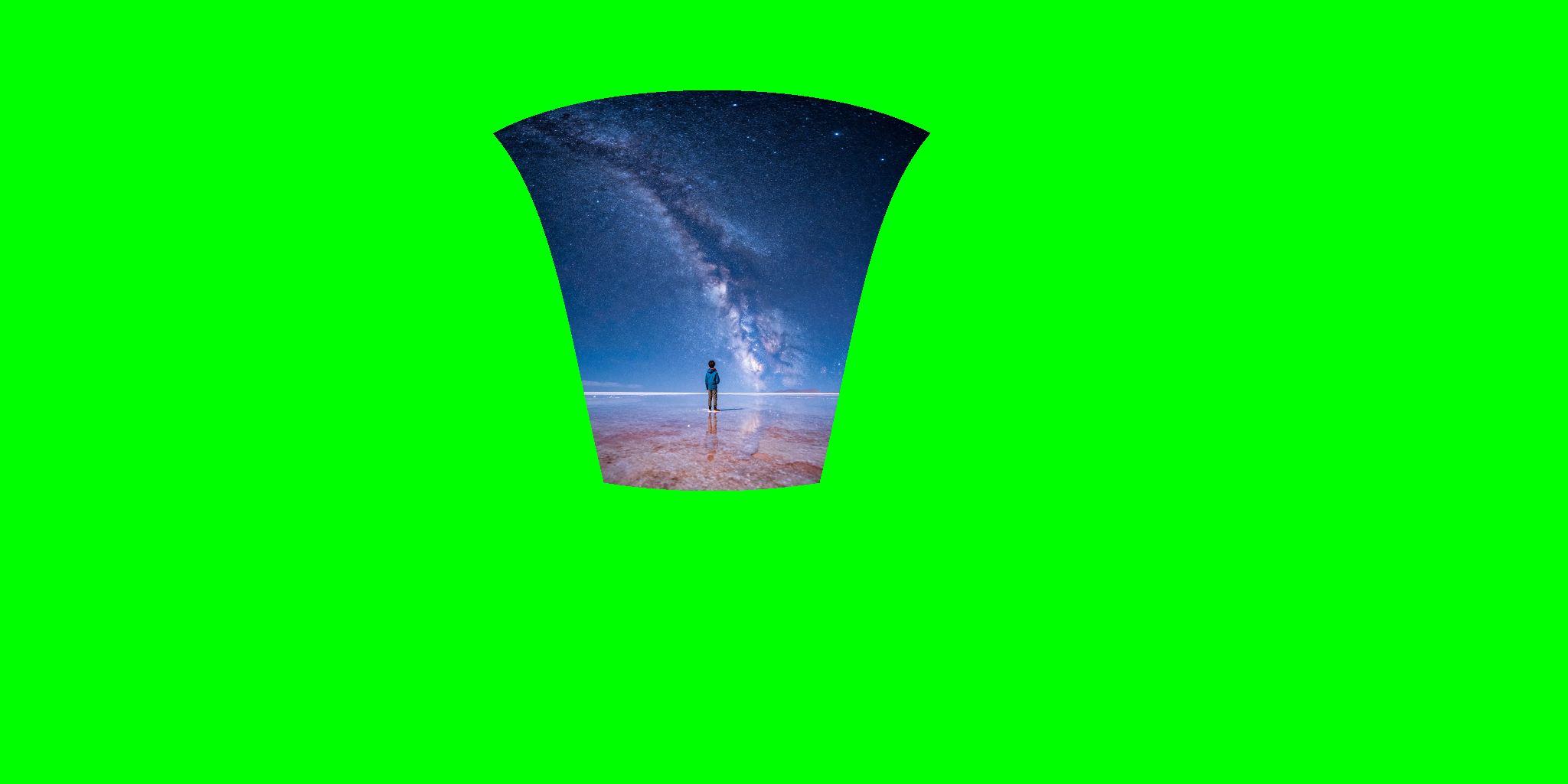 | 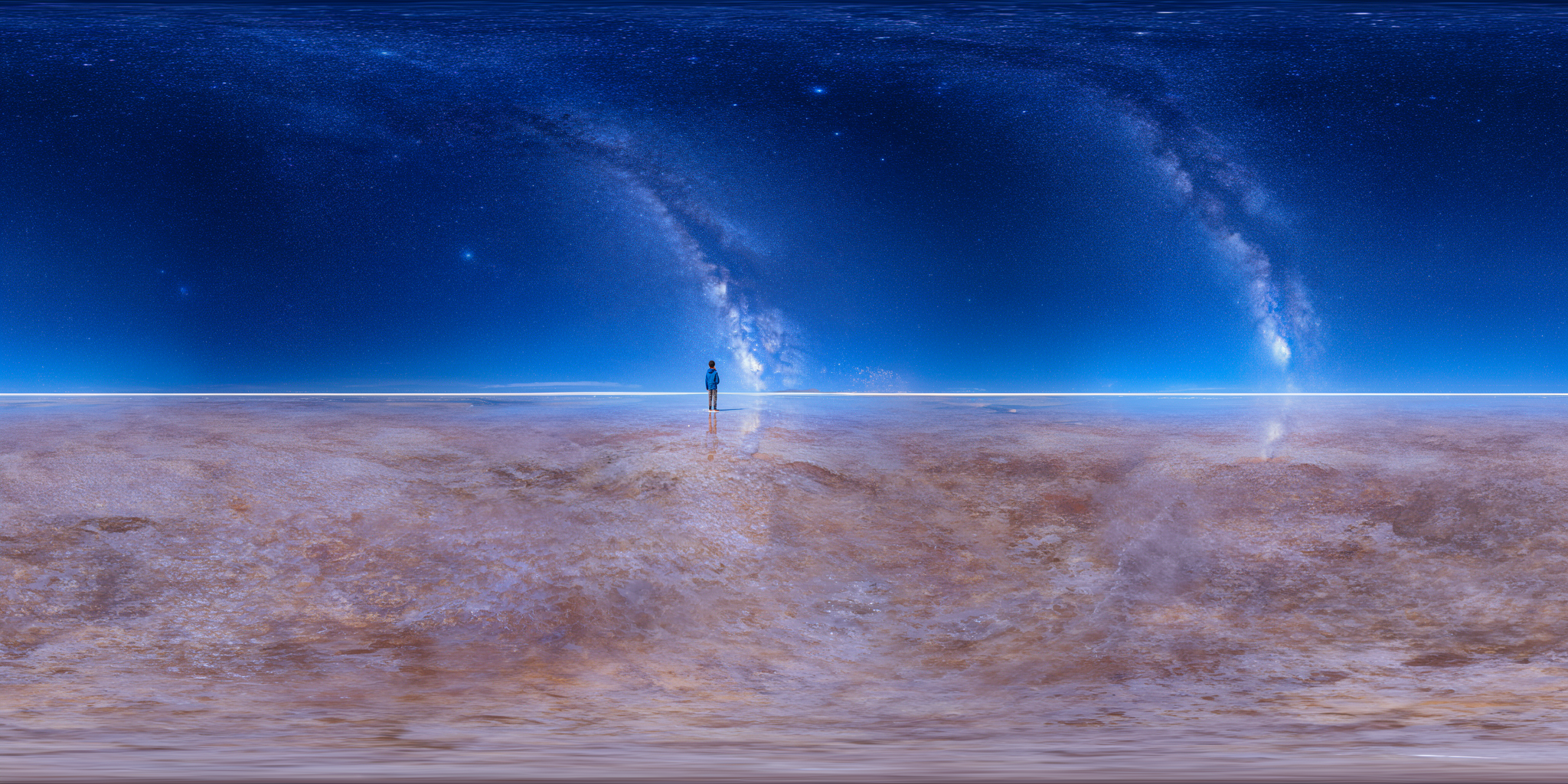 |
### Example 2
| Input | Output |
| --- | --- |
| 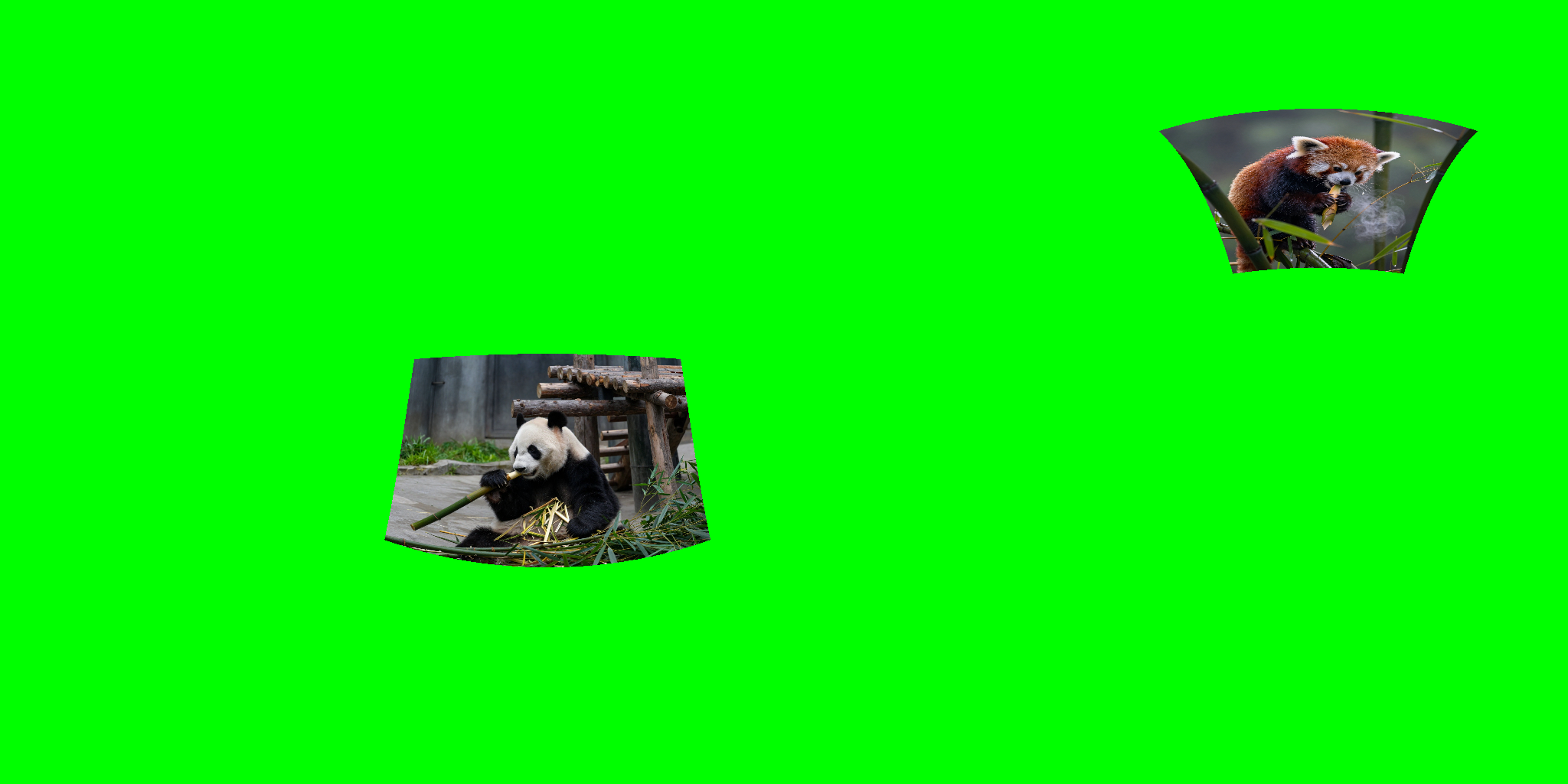 | 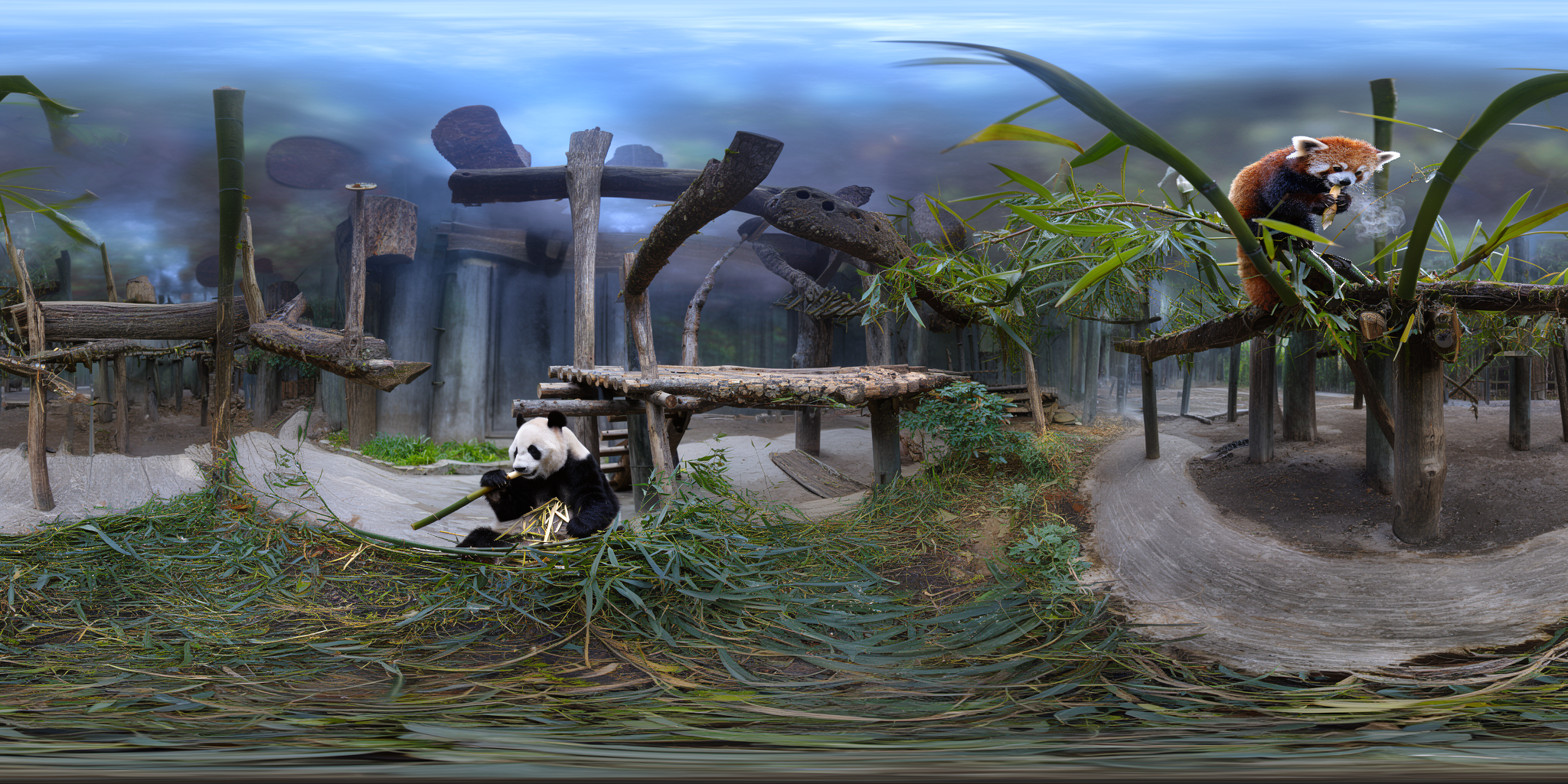 |
## 使い方
1. `2:1` の ERP グリーンキャンバス上に、投影済みの参照画像を配置した `control` 画像を作成します。
* 参照画像は、パノラマ内での配置結果を **pinhole 視点から ERP に展開** したものを使用します。
* そのための UI(Gradio / ComfyUI カスタムノード)を用意しているので、ぜひ活用してください。
* [nomadoor/ComfyUI-Panorama-Stickers](https://github.com/nomadoor/ComfyUI-Panorama-Stickers)
2. 下記のトリガーワードを **先頭** に入力します。
3. 必要に応じて、その後ろに任意のプロンプトを追加してください。
### トリガーワード
```text
Fill the green spaces according to the image. Outpaint as a seamless 360 equirectangular panorama (2:1). Keep the horizon level. Match left and right edges.
```
## 推奨解像度
* 生成: `2048x1024`(2K ERP)
* パノラマ用途では 2K でも粗く見える場合があるため、必要に応じてアップスケールを併用してください。
## 注意点
* 🚨Distilledモデルではほとんど良い結果が得られません。解決方法を探していますが、基本的にはbase modelと共に使用してください。
* 学習データのほとんどが実写風景なため、非実写ドメインでは安定しない可能性があります。
* 左右端(シーム)の完全一致は難しく、ケースによっては後処理(inpaint など)が必要です。
## 学習設定
* [TRAINING_NOTES.md](./TRAINING_NOTES.md)
## Workflow
* [flux-2-klein-9B-360-erp-outpaint.json](./workflow/flux-2-klein-9B-360-erp-outpaint.json)
* `Upsace_Seam-inpainting (WIP)`
## ライセンス
この LoRA の利用条件は、ベースモデル [`black-forest-labs/FLUX.2-klein-base-9B`](https://huggingface.co/black-forest-labs/FLUX.2-klein-base-9B) のライセンス / 利用規約に従ってください。
補足は同梱の `LICENSE` を参照してください。
## Support
GPU のレンタルで、少し予算を使いすぎました🫠
もし応援していただけるなら、[☕Ko-fi](https://ko-fi.com/nomadoor) または [❤GitHub Sponsors](https://github.com/sponsors/nomadoor/) からサポートいただけるととてもとても嬉しいです。
|