

metadata
license: other
license_name: bespoke-lora-trained-license
license_link: >-
  https://multimodal.art/civitai-licenses?allowNoCredit=False&allowCommercialUse=RentCivit&allowDerivatives=False&allowDifferentLicense=False
tags:
  - text-to-image
  - stable-diffusion
  - lora
  - diffusers
  - template:sd-lora
  - migrated
  - skull
  - style
  - snake
  - tattoo
  - tiger
  - tattoo design
  - protoart
base_model: stabilityai/stable-diffusion-xl-base-1.0
instance_prompt: proto_tat
widget:
  - text: ' '
    output:
      url: 23799934.jpeg
  - text: ' '
    output:
      url: 23799935.jpeg
  - text: ' '
    output:
      url: 23822007.jpeg
  - text: ' '
    output:
      url: 23963964.jpeg
  - text: ' '
    output:
      url: 23800285.jpeg
  - text: ' '
    output:
      url: 23799130.jpeg
  - text: ' '
    output:
      url: 23801412.jpeg
  - text: ' '
    output:
      url: 23799131.jpeg
  - text: ' '
    output:
      url: 23799132.jpeg
Tattoo Maker XL

- Prompt

- Prompt

- Prompt
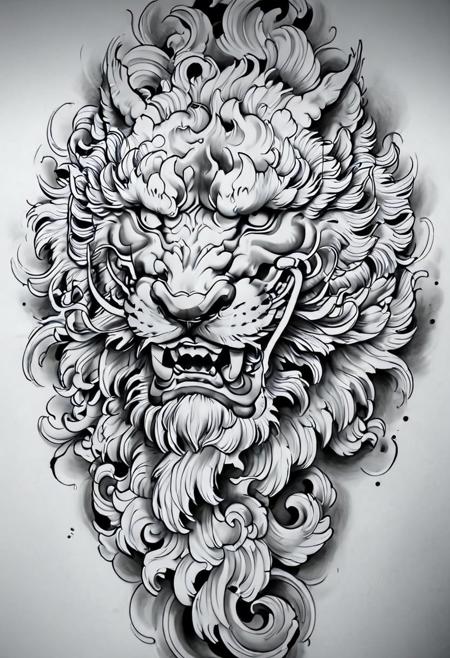
- Prompt

- Prompt

- Prompt

- Prompt

- Prompt

- Prompt
Model description
Based on my original tattoo model
Expanded the dataset to include a lot more animals.
There is an added amount of "pocket watches", "roses", "tigers", and "skulls" in this data set
Trigger words
You should use proto_tat, evang, tattoo_style to trigger the image generation.
Download model
Weights for this model are available in Safetensors format.
Download them in the Files & versions tab.
Use it with the 🧨 diffusers library
from diffusers import AutoPipelineForText2Image
import torch

pipeline = AutoPipelineForText2Image.from_pretrained('stabilityai/stable-diffusion-xl-base-1.0', torch_dtype=torch.float16).to('cuda')
pipeline.load_lora_weights('brushpenbob/tattoo-maker-xl', weight_name='Tattoo_Maker_XL.safetensors')
image = pipeline('`proto_tat`, `evang`, `tattoo_style`').images[0]
For more details, including weighting, merging and fusing LoRAs, check the documentation on loading LoRAs in diffusers